 VoxCaption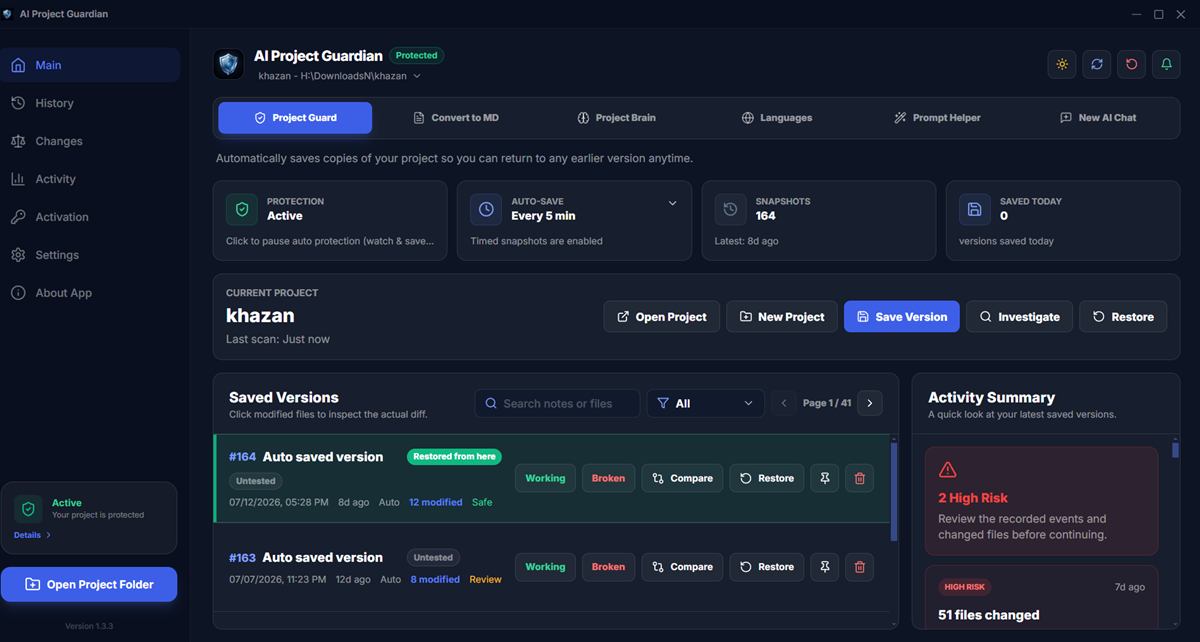
The comparison at a glance
| Git | Manual backups | AI Project Guardian | |
|---|---|---|---|
| Protects uncommitted work | ❌ No | Only at copy time | ✅ Every 5 min automatically |
| Safe from the AI agent itself | ❌ Agent can rewrite history | ✅ If stored elsewhere | ✅ Private encrypted storage |
| Effort required | Discipline per commit | High — you must remember | Zero after setup |
| Restore one file | ✅ If committed | Manual digging | ✅ One click |
| Visual diff between versions | ✅ CLI/IDE | ❌ None | ✅ Built-in |
| Find "last good state" | Hard after agent commits | Folder-name guessing | ✅ Working/Broken labels |
| Team collaboration | ✅ The standard | ❌ No | ❌ Not its job |
| Disk usage | Small | Huge (full copies) | Small (deduplicated) |
| Cost | Free | Free | $20/yr, 14-day trial |
Git: essential, but it's a history tool
Git is non-negotiable for collaboration and long-term history — nothing here suggests dropping it. But as we covered in why git isn't enough with AI agents, its protection depends on deliberate, meaningful commits. AI agents commit fast and generically, mix good and bad changes together, and can even run git commands themselves. Git guards the milestones you author; it's weak exactly where agents do damage — the messy space between milestones.
Manual backups: better than nothing, worse than you think
Copying my-project to my-project-backup-final-2 before a big AI task does work — once. In practice it fails for predictable reasons: you forget under deadline pressure, the copies eat gigabytes (node_modules included), nothing tells you which backup contains what, and restoring means manually spotting which of 800 files changed. Manual backup is a plan that depends on you being careful at the exact moment you're moving fast — which is when disasters happen.
Guardian: the automatic layer between commits
AI Project Guardian exists for one job: making sure there is always a recent, restorable copy of your project that no AI tool can touch. It snapshots automatically (timed + on changes), encrypts with AES-256-GCM on your own disk, skips generated folders, shows visual diffs, and restores a single file or the whole project in about a second. It won't replace git for collaboration — and doesn't try to.
Which one do you actually need?
- You never use AI coding tools: git alone is probably fine.
- You use Claude Code / Cursor / Codex weekly: git + automatic snapshots — the gap between commits is where your risk lives.
- You're non-technical and build with AI ("vibe coding"): Guardian matters even more — it gives you one-click undo without learning git internals.
FAQ
Can Guardian replace git completely?
For a solo, local project — technically yes, but we still recommend git for remote copies and collaboration. They solve different problems and work best together.
What about cloud backup (OneDrive, Google Drive)?
Cloud sync protects against disk failure, not bad edits — it happily syncs the broken version over the good one within seconds. Version history exists but is per-file, slow, and puts your code on someone else's servers.
Try the automatic layer free
AI Project Guardian — encrypted snapshots, visual diffs and one-second rollback. 14-day free trial, no credit card.
Related Articles
Further reading: learn more about backup strategies (external).